We were halfway through a customer demo when I remembered I was connected to
staging, not to the demo seed database. I had just typed
SELECT * FROM users LIMIT 20 and hit Cmd+Enter. Twenty real email addresses
appeared on my screen, which was mirrored to a conference room of people who
were not supposed to see them.
I alt-tabbed to my Zoom window so fast I think I pulled a tendon.
There was no harm done — staging data is obfuscated, the emails were fake,
the customer is still a customer. But the adrenaline was real, and the sheer
avoidable stupidity of the situation stuck with me. Every SQL client I have
ever used will happily render hunter2 in plaintext to whoever is pointing a
camera at your laptop. That is not a sensible default in 2026.
So I added a data masking layer to data-peek.
#What it does
Two things, really.
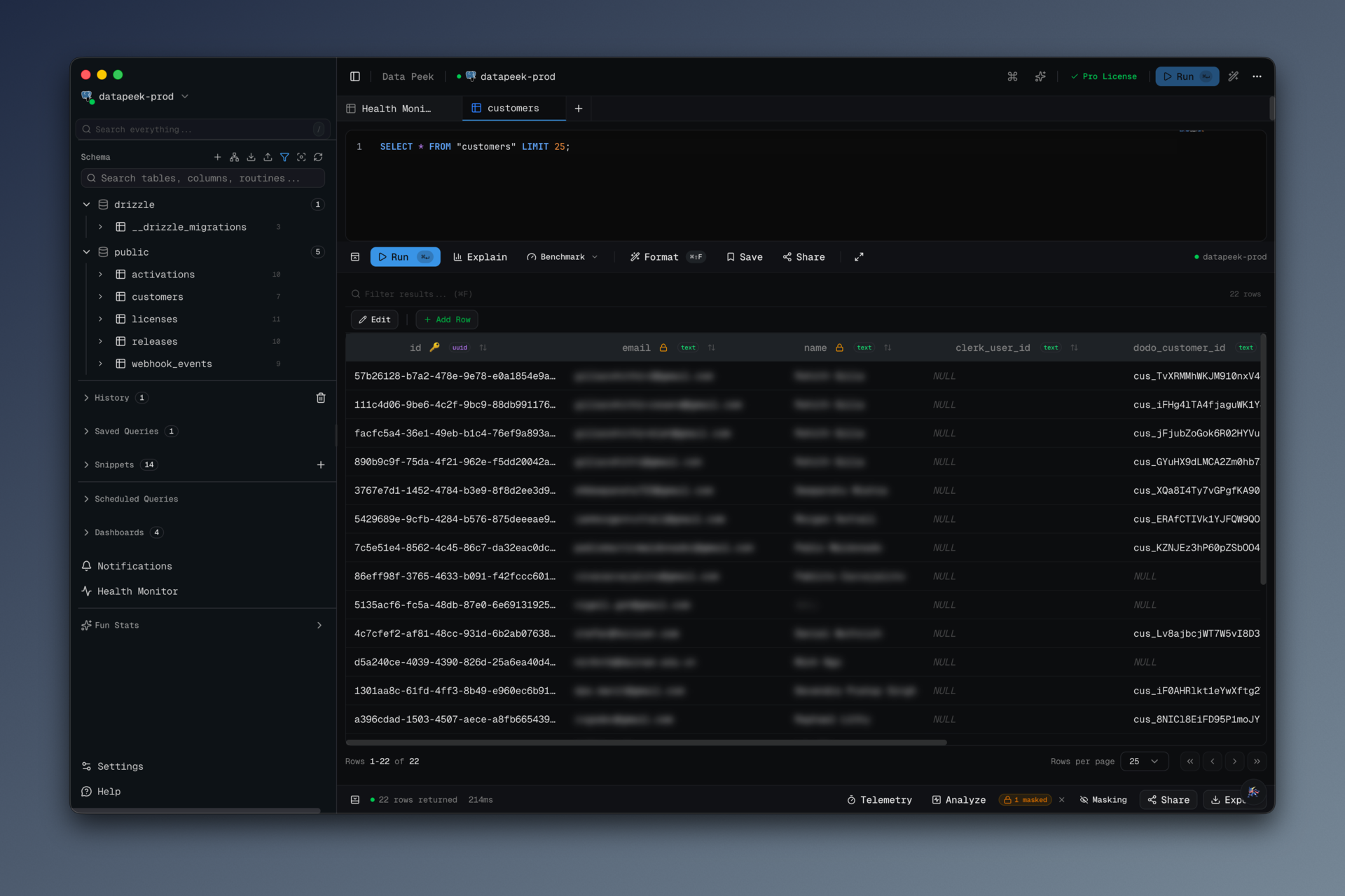
It auto-masks columns by name. Out of the box, every column whose name
matches email, password, passwd, pwd, ssn, social_security,
token, secret, api_key, or apikey is blurred. Phone and address
patterns are in the rule list but disabled by default because they create too
many false positives on arbitrary schemas. The rules are just regexes, so
you can add your own (for my team: a stripe_ rule that catches
stripe_customer_id and friends).
You can manually mask any column, any time. Click a column header, hit
"Mask Column," done. The masked state is scoped per tab, so masking
users.full_name in one query does not affect a different query.
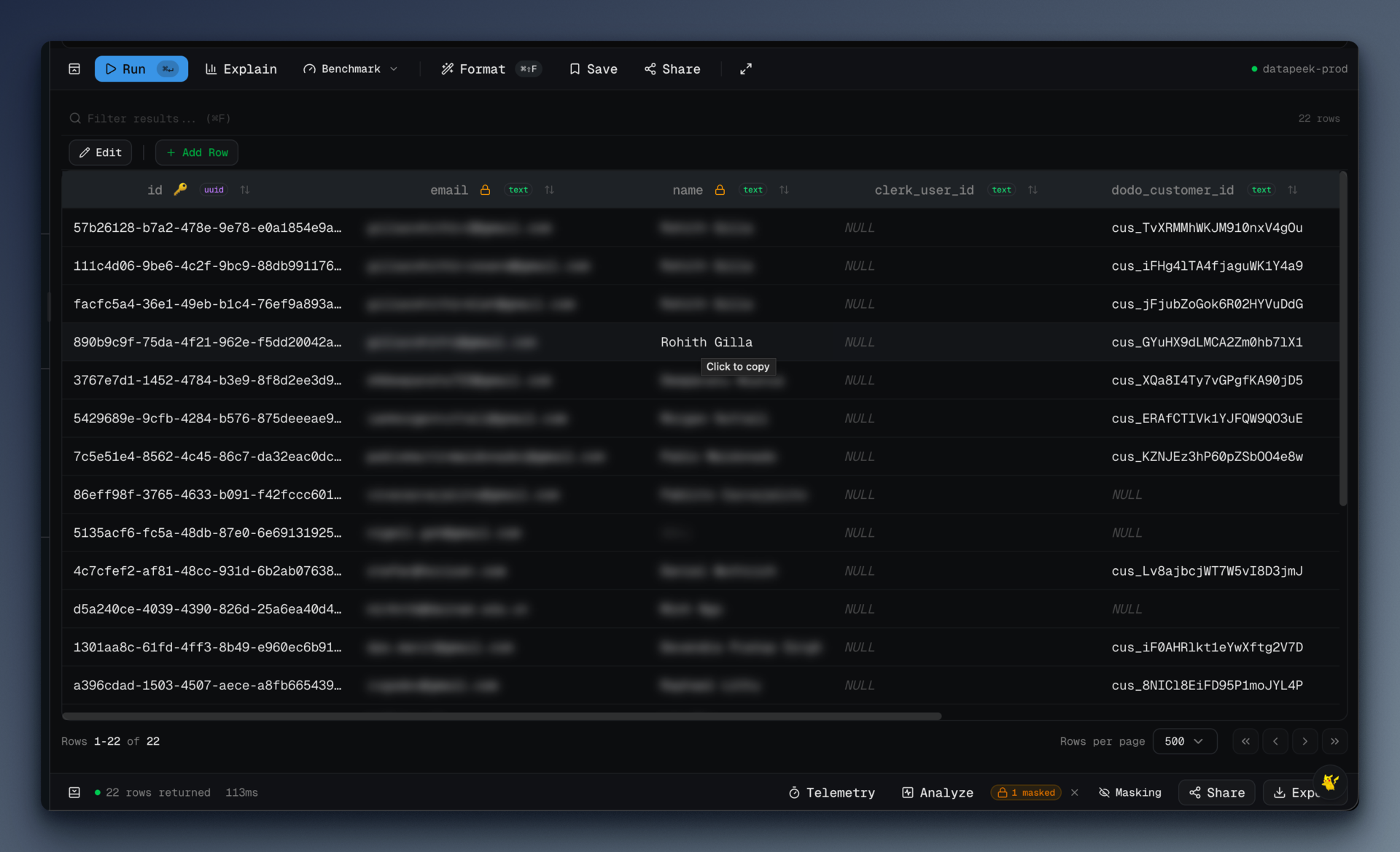
Masked cells render with filter: blur(5px) and user-select: none. You can
see the shape of the data — same row height, same column width, no layout
shift — but not the contents. When you actually need to see a value, hold
Alt and hover. The cell reveals for as long as you hold it and re-blurs
when you let go.
That hover-to-peek mode is the best part. It keeps you in the flow: "checking a single email address to verify an account" no longer means revealing twenty of them.
#The rules
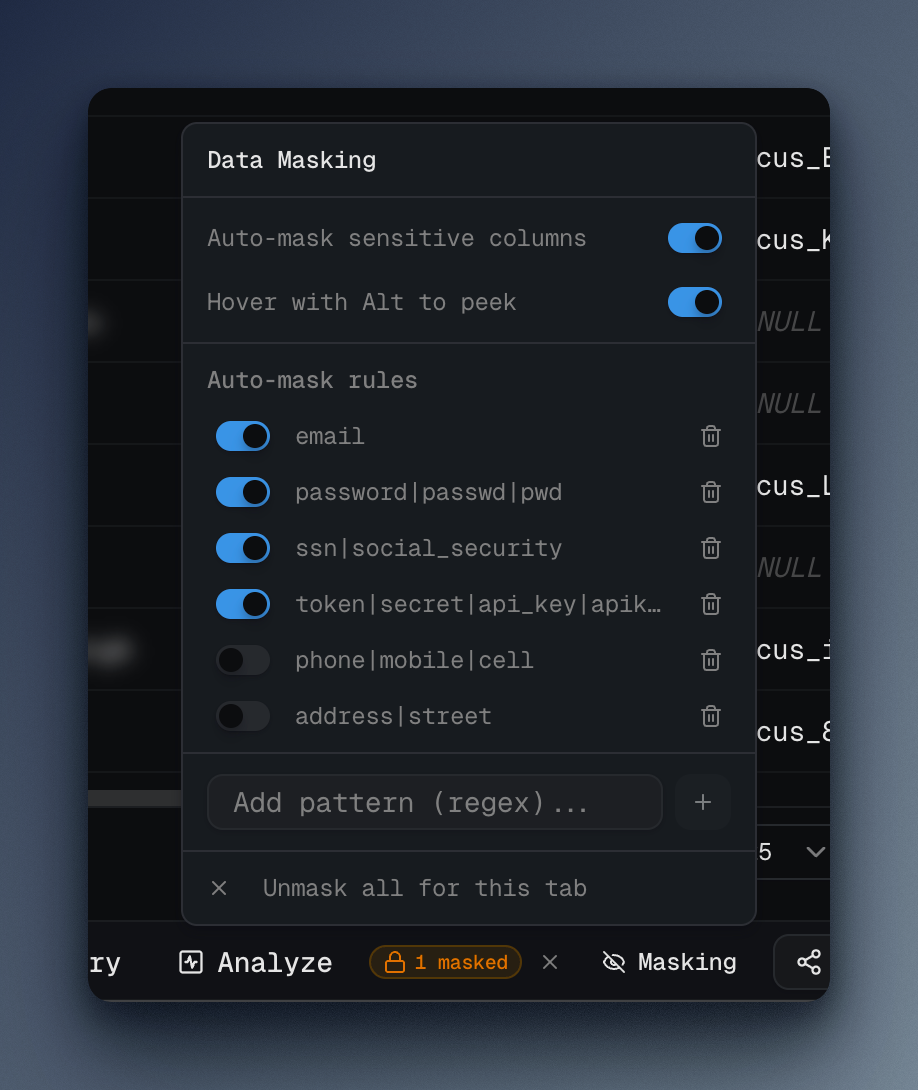
These are the defaults, straight from src/renderer/src/stores/masking-store.ts:
const DEFAULT_RULES: AutoMaskRule[] = [
  { id: "email", pattern: "email", enabled: true },
  { id: "password", pattern: "password|passwd|pwd", enabled: true },
  { id: "ssn", pattern: "ssn|social_security", enabled: true },
  { id: "token", pattern: "token|secret|api_key|apikey", enabled: true },
  { id: "phone", pattern: "phone|mobile|cell", enabled: false },
  { id: "address", pattern: "address|street", enabled: false },
];
Two things I learned writing the matcher.
First, case insensitivity is mandatory, not optional. Different ORMs and
naming conventions will give you email, Email, EMAIL, emailAddress,
email_addr. The matcher compiles each pattern as new RegExp(rule.pattern, 'i')
so one rule catches them all. Without that flag, Email slips through
every time and you have a false sense of security.
Second, the effective mask is the union of manual and auto. If you manually unmask a column but the auto-rule still matches, the auto-rule wins on the next render. This was a deliberate choice: the whole point is to fail closed. If you want to permanently exclude a column, you edit the rule, not the cell.
Here is the resolver that combines both sources:
getEffectiveMaskedColumns: (tabId, allColumns) => {
  const { maskedColumns, autoMaskRules, autoMaskEnabled } = get();
  const manualMasked = new Set(maskedColumns[tabId] ?? []);

  if (!autoMaskEnabled) return manualMasked;

  const effective = new Set(manualMasked);
  for (const col of allColumns) {
    for (const rule of autoMaskRules) {
      if (!rule.enabled) continue;
      try {
        const regex = new RegExp(rule.pattern, "i");
        if (regex.test(col)) {
          effective.add(col);
          break;
        }
      } catch {
        // Invalid regex — skip
      }
    }
  }
  return effective;
};
The try/catch around the regex is there because the rule list is
user-editable. If someone adds user[ as a pattern, I do not want the entire
results grid to crash. The invalid rule silently no-ops. A production-grade
version would surface a red squiggle in the rule editor; I did not do that
yet.
#The render path
The masking logic lives in Zustand; the render logic lives in one small
cell component. The meaningful lines from data-table.tsx:
function MaskedCell({ isMasked, hoverToPeek, children }: MaskedCellProps) {
  const [peeking, setPeeking] = useState(false);

  const onMouseEnter = (e: React.MouseEvent) => {
    if (hoverToPeek && e.altKey) setPeeking(true);
  };

  return (
    <span
      onMouseEnter={onMouseEnter}
      onMouseLeave={() => setPeeking(false)}
      style={peeking ? undefined : { filter: "blur(5px)", userSelect: "none" }}
    >
      {children}
    </span>
  );
}
That is the whole thing. No canvas trickery, no data-URL sleight of hand, no modified result set — the raw value is still in the DOM. If someone is smart enough to open devtools on your SQL client during a demo, they can dig it out. The threat model here is "accidentally revealing data to a camera or screen-share," not "malicious insider with inspector access." I think that is the right level to aim at. Perfect is the enemy of I will actually use it every day.
The userSelect: 'none' matters more than the blur: it means you cannot
double-click and copy a masked value into the clipboard by reflex. One of
the quiet ways PII leaks is not from someone reading your screen, it is from
you pasting a blurred value into Slack thinking "surely the blur meant that
wasn't the real thing."
#What I'd do differently
I wish I had done it the other way around. The blur is a presentation trick. A truly paranoid version would mask at the IPC boundary — have the main process redact values before they ever hit the renderer, based on the same rules. That way a devtools inspector genuinely cannot see the original. The tradeoff is that hover-to-peek becomes a round-trip through IPC, which adds latency to the interaction. I chose the fast UX and a weaker threat model. I still think it is the right call, but I want the IPC-redaction option as a toggle for security-conscious users.
The rules should be repo-shareable. Right now each user's rules live in
their own Zustand-persisted local storage. But a team would reasonably want
a shared rule set — "our customers table has a pci_encrypted_pan column,
mask that everywhere" — and right now there is no way to distribute that
short of everyone copy-pasting it manually. A .data-peek-masks.json at the
repo root would solve it. Queued up.
The phone pattern should probably be on by default. It is off because
mobile_application_id and friends match the pattern and create noise. But
"noise from too much masking" is a strictly better failure mode than
"leaking a phone number in a Loom." I will flip the default.
#The honest pitch
If you have ever had a "I was sharing my screen" moment, this feature is for you. If you record Loom demos, pair on production bugs, or stream your coding, this feature is definitely for you.
data-peek is at datapeek.dev. The masking code is
open source — src/renderer/src/stores/masking-store.ts if you want to
read it or port the idea to your own tool. Copy it, improve it, tell me what
you did differently. The goal is fewer adrenaline spikes in conference rooms.